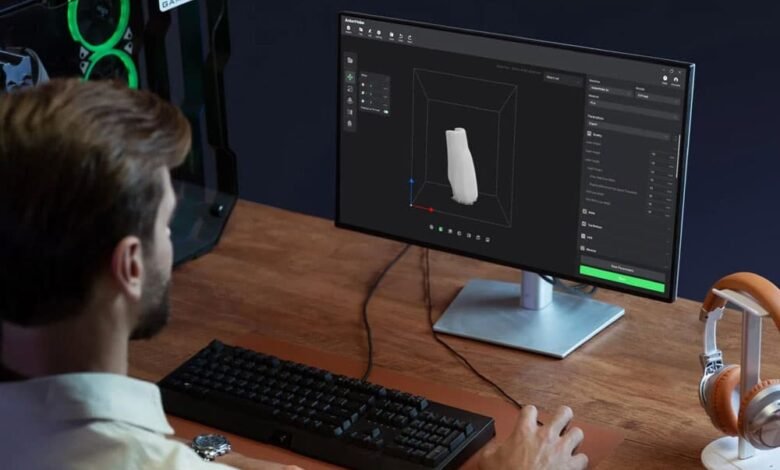
Free slicer software has gotten seriously good. In 2026, you don’t have to pay a subscription to get smart supports, pressure-advance tuning, multi-material workflows, and fast, reliable G-code generation.
The right slicer depends less on price (since many are free) and more on your printer firmware, your typical materials, and how much control you want over settings like retraction, cooling, seam placement, and infill strategy.
Below is a practical, beginner-friendly rundown of the best free 3D printer slicers in 2026—plus how to choose between them without getting lost in menus.
What to look for in a free slicer in 2026
Most slicers can “slice a cube,” but the differences show up in print quality, speed, and how quickly you can troubleshoot a failed layer. When comparing free 3D printer slicers, prioritize features that match your day-to-day printing.
- Profiles that match your ecosystem: Good defaults for Ender-style bedslingers, CoreXY machines, and popular hotends/nozzles.
- Modern firmware support: Especially Klipper features like pressure advance and input shaping (even if you tune elsewhere).
- Support and seam control: Tree supports, paint-on supports, and predictable seam painting help aesthetics.
- Speed without artifacts: Efficient path planning, variable layer height, and solid bridging.
- Calibration tools: Flow, temperature towers, retraction tests, and first-layer diagnostics.
Top free slicers worth using right now
These options cover the biggest user groups: beginners who want reliable presets, tinkerers who want deep control, and advanced users focused on speed and consistency.
Orca-based workflows (great for tuning and high-speed printing)
If you like a slicer that feels tuned for fast printers and iterative calibration, Orca slicer is a strong pick. It’s especially popular with Klipper users and anyone who prints a lot of functional parts, thanks to a workflow that encourages dialing in flow, pressure advance behavior, and material-specific profiles.
PrusaSlicer (best all-around free slicer for reliability)
PrusaSlicer remains a go-to because it balances quality and control without overwhelming new users. It’s excellent for PLA, PETG, and flexible materials, and it offers strong support generation, variable layer height, and intuitive filament profiles. Even if you don’t own a Prusa printer, community presets make onboarding easy.
Cura (best for broad printer compatibility and plugins)
Ultimaker Cura is still the “universal” choice for many hobby printers, especially older or heavily modified machines. The plugin ecosystem and huge library of community profiles make it ideal when you’re troubleshooting a unique setup. If you print on multiple brands, Cura’s compatibility is hard to beat.
Bambu Studio (best free option for Bambu owners)
If you own a Bambu Lab printer, Bambu Studio is the obvious choice because it’s tightly integrated with printer features, AMS workflows, and device management. For multi-color prints, it’s typically the smoothest path from model to successful print.
ideaMaker (best for advanced support control)
ideaMaker is a sleeper hit for users who care deeply about supports and surface finish. It offers powerful support customization and consistent results, particularly on complex models where removing supports cleanly matters as much as print speed.
How to choose the best slicer for your printer and goals
If you’re stuck deciding, match your slicer to your “most common print.” A single clear use-case usually narrows the choice quickly.
- You want dependable prints with minimal tweaking: Start with PrusaSlicer.
- You own an Ender-style or mixed-brand fleet: Try Cura first for profiles and plugins.
- You print fast on Klipper and like calibration-driven tuning: Choose an Orca-based workflow.
- You do multi-color on Bambu hardware: Use Bambu Studio.
- You print complex minis or organic shapes: Test ideaMaker’s support controls.
Common 2026 slicer settings that matter most
Regardless of slicer, these settings tend to deliver the biggest real-world improvements when you tune them carefully.
- First-layer strategy: Initial layer height/width, bed temp, and brim usage for adhesion.
- Cooling and minimum layer time: Crucial for small parts and clean overhangs.
- Retraction and wipe/coast behavior: Reduces stringing and zits on glossy filaments.
- Seam placement: “Back” or “aligned” seams for clean presentation surfaces.
- Infill pattern + walls: More walls often beats more infill for strength.
FAQ
Q: What’s the best free slicer for beginners in 2026?
A: PrusaSlicer is usually the easiest starting point because it has strong defaults, clear previews, and straightforward profile management.
Q: Is Cura still worth using in 2026?
A: Yes. Cura remains one of the best free 3D printer slicers for broad compatibility, especially if you rely on community printer profiles or plugins.
Q: Can I use multiple slicers for the same printer?
A: Absolutely. Many users slice most jobs in one tool, then switch for special cases like tricky supports, ultra-fast drafts, or multi-material prints.
Conclusion
The best free slicer in 2026 is the one that matches your printer ecosystem and the kinds of parts you print most often. PrusaSlicer is the dependable all-rounder, Cura wins on compatibility, Bambu Studio shines for Bambu owners, and ideaMaker stands out when supports are the make-or-break detail.
Pick one, run a short calibration loop (first layer, flow, temperature, retraction), and save material-specific profiles. With that small upfront effort, any of these free slicers can deliver clean, repeatable results without costing you a dime.